BANK PANEL VIEW
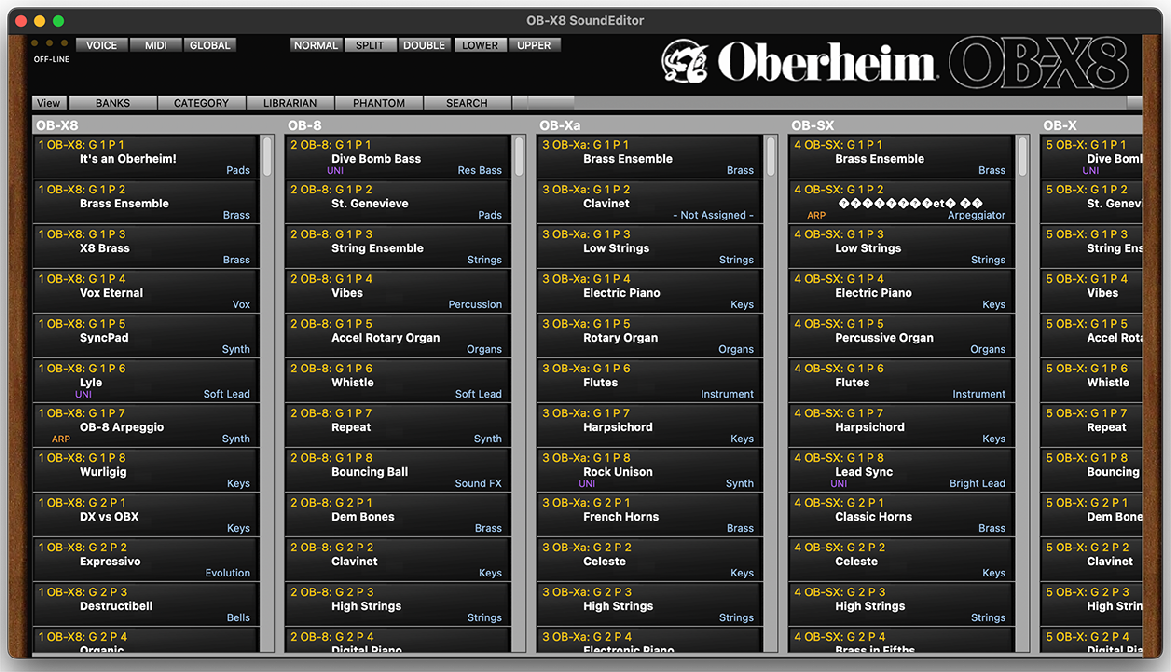
The Banks Panel lets you see all User and Factory program banks where you can select Programs for editing or audition.
Here you can copy and paste programs between the banks or move programs around by dragging them to new locations.
You can swap locations of any two programs by dragging if you wish to reorganize programs on this page.
A more efficient way to create custom banks is in the Librarian discussed later in the manual.
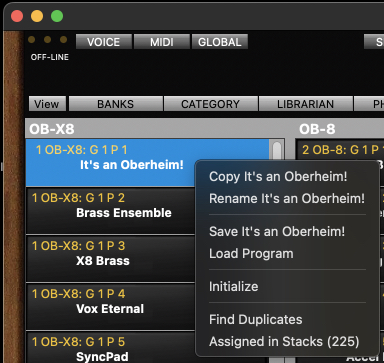
When you right-
In the Bank View you can copy and paste only one program at a time. To copy and paste multiple programs use the Program Bank Manager / Librarian window.
Pasted, renamed, loaded and initialized programs will be automatically written to
the OB-
If you like to load saved single programs only to the edit buffer only, then use the Load Single Program function located under the window File menu.
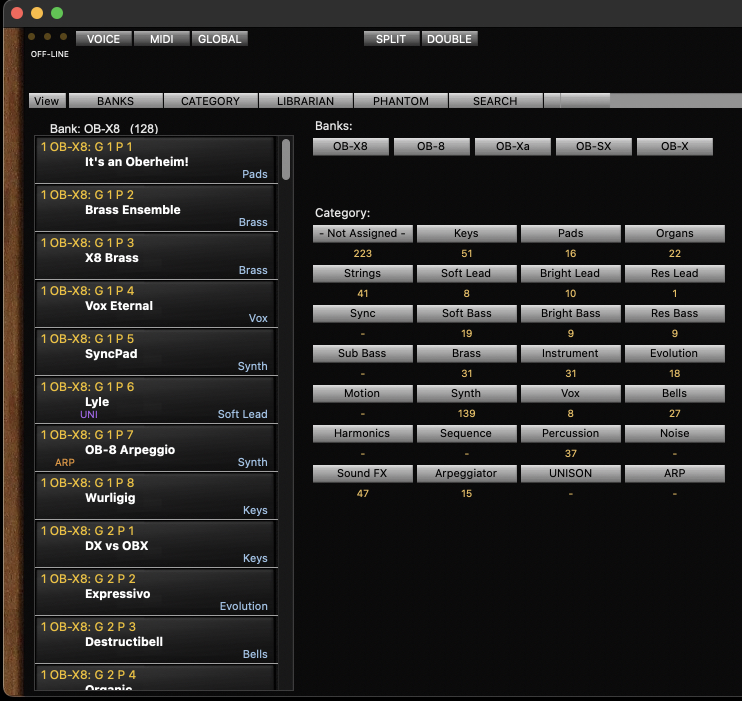
If you wish to view available programs based on Categories, click the Category button and you will see the following screen.
Simply click the bank or category button to view the programs that are included in that collection.
SEARCH TOOL
The SEARCH button (Control+F) brings up the Program Search where you can search for
programs in all OB-