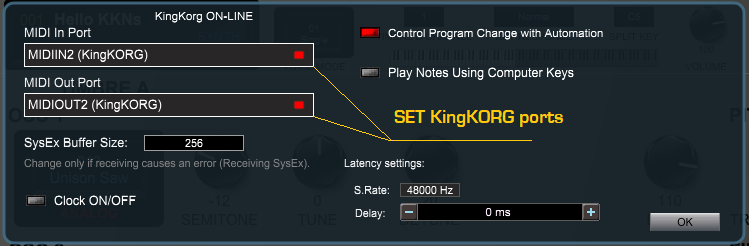
- Go to PlugSE MIDI Setup and select KingKORG USB in and out. At this point you should
have it ON-LINE.
The PlugSE is designed to serve as a bridge between the host and the synthesizer
and in principle the KingKORG should be connected directly to the PlugSE via MIDI.
By default, most of the VST hosts are set to grab all MIDI ports on startup and this
may create a connection problem for PlugSE users.
If you are using a Windows PC many MIDI interfaces including KingKORG USB MIDI are
not multi-client - this means that ports can be opened and used only by one application
at a time. It also means that in practice, after you start the host application the
host may first access and open MIDI ports that your synth is connected to and prevent
the PlugSE from accessing the same ports later on. Similar setup can be used on MacOS.
Here is what you should do:
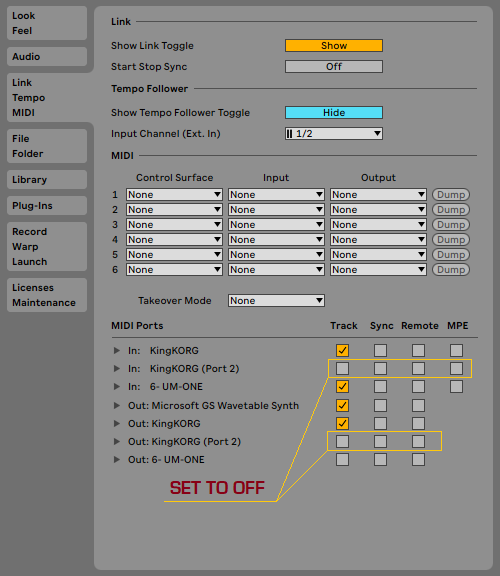
- Go to Ableton preferences/devices and disable both KingKORG USB MIDI IN and USB
MIDI OUT.
USING KingKORG PLUGSE IN ABLETON
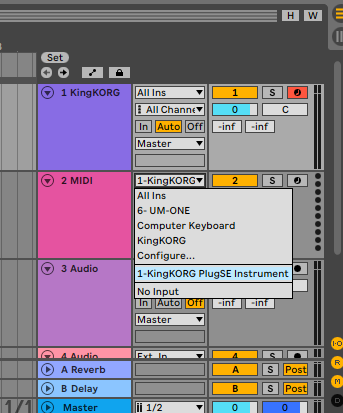
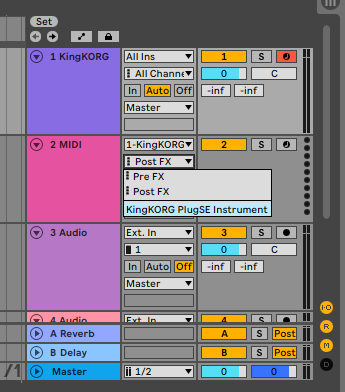
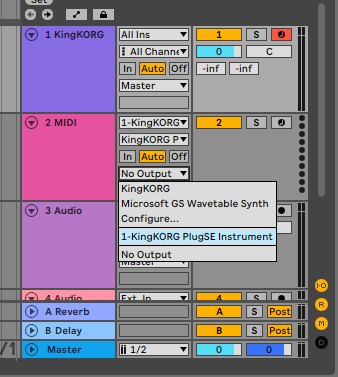
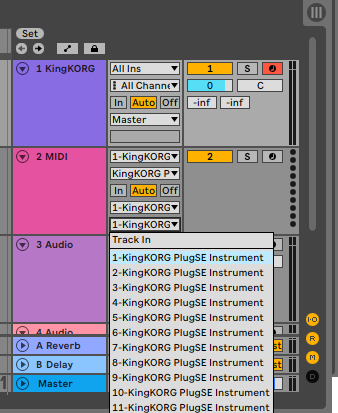
- In Ableton, select the MIDI track and configure KingKORG PlugSE for track's output.
- Configure KingKORG PlugSE for track's input if you using KingKORG as input.
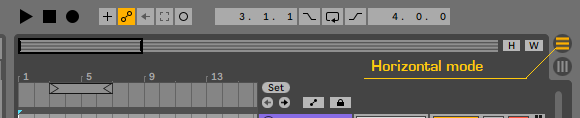
- Set track view in the horizontal mode.