Unlike the Bank Manager, the Preset Manager or Preset List does not select physical
programs from the KingKORG internal banks. Each VST or AU plug-
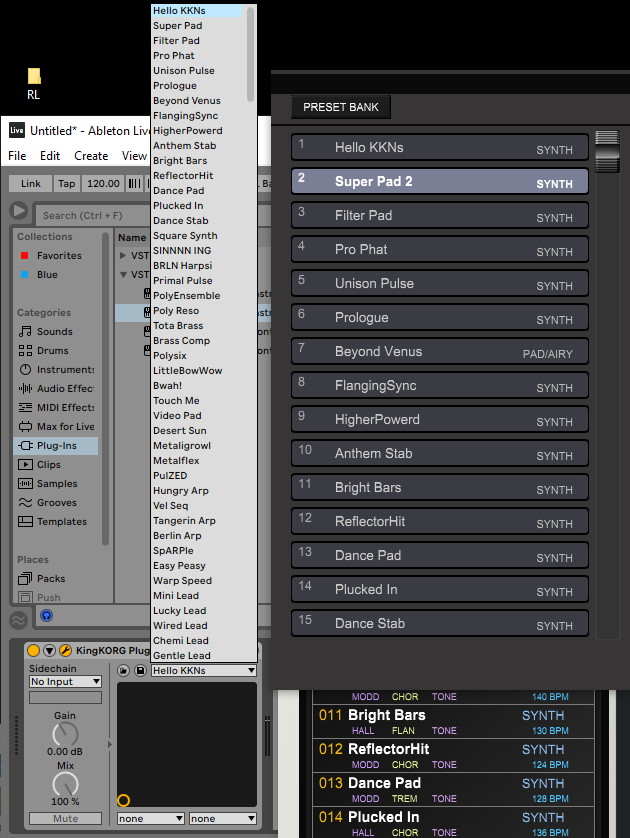
The PlugSE’s preset bank comes preloaded with programs from the KingKORG Factory Bank and therefor may look similar to KingKORG internal bank.
When you select programs in the Bank Manager, you are selecting programs in KingKORG internal banks using Bank/Program MIDI commands and selected programs are loaded from the internal banks to be played.
When you select select presets using the Preset Manager or FX Preset Lists then selected preset programs are send to the KingKORG to be played. Preset programs loaded in that way temporary replace programs in so called Edit Buffer.
The Preset Program Bank data is saved within the VST/AU project and it is loaded bank when you open a saved project.
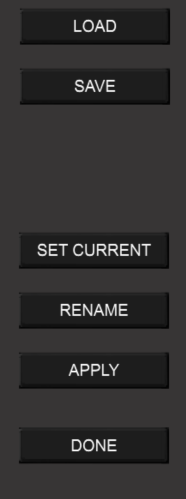
Preset Manager Functions
LOAD -
SAVE -
SET CURRENT-
RENAME -
APPLY -
Preset Manager / Librarian
Preset Manager and Librarian can be accessed by clicking on the “hamburger” icon
located at top-
The Preset Manager window has two sections:
Preset Bank Mode manages the preset bank that is used by the DAW host. It is exactly the same list of presets that the VST/AU host displays for preset selection on a track.
Note. VST3 plug-
Also, please note that DAW Preset FX bank list names may not be updated until you save and reload your project.
Clicking this icon will allow you to set the program that be recalled when you open your current session.
At first, you will be presented with the dialog that will prompt you to set the current patch to a slot in the FX bank. You can click on CANCEL button to go straight to the Preset Bank Manager or select a slot in the FX bank in order to save it for later use.
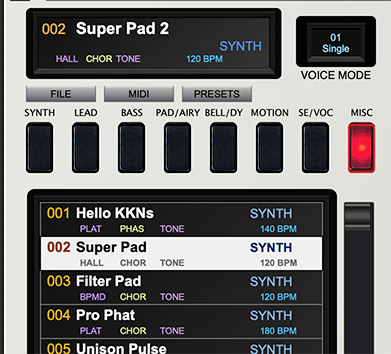
In this example I will select the program 002 Super Pad. Clicking the hamburger will bring up a screen where I can change the name if I wish.

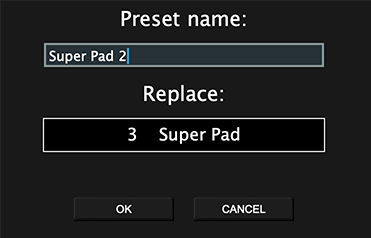
Clicking on the field below “Replace” will bring up this screen…
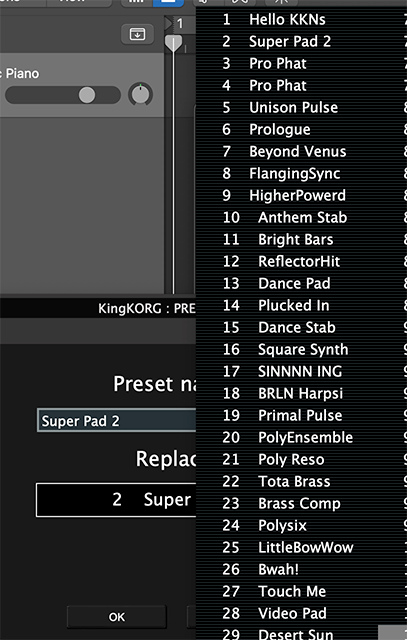
Here you can confirm that you have replaced Super Pad with Super Pad 2.
Click DONE to complete this process.
PLEASE NOTE -