Computer shortcut keys:
Function key F1: Preset Bank Manager.
Function key F2: OB-
Function key F4: Keyboard Mode NORMAL.
Function key F5: Keyboard Mode SPLIT.
Function key F6: Keyboard Mode DOUBLE.
Function key F7: Keyboard Mode LOWER.
Function key F8: Keyboard Mode UPPER.
Esc key: Closes Preset Bank Manager. Hides the Program Search panel.
Please note that the PlugSE window has to be in–focus in order for computer key strokes to work.
Ctrl/Command + F : Opens the Program Search by name panel.
Some DAW hosts do not pass all keys strokes and you should use SHIFT KEY to enable certain keys in the PlugSE.
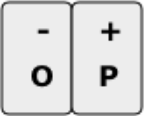
Octave -
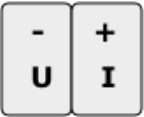
Note Velocity -
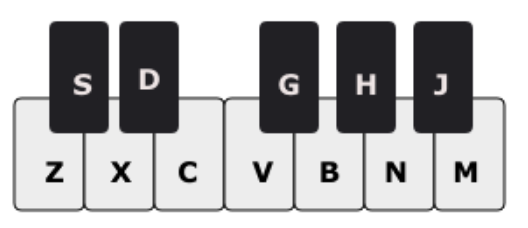
Computer Keys Note Play assignment:
Playing notes using computer keys:
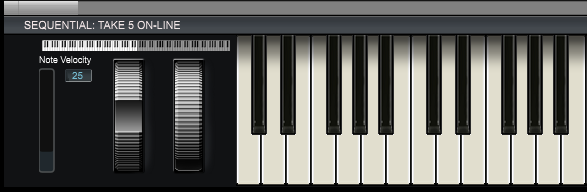
Note velocity settings and the octave range can be also adjusted using controls located on the piano keys panel.