

|
|
Page 4 |
EDITING PROGRAMS
1. Click on "Programs" button:

2. The list will now display list all PROGRAMS in Ram Bank A that are loaded into the editor:
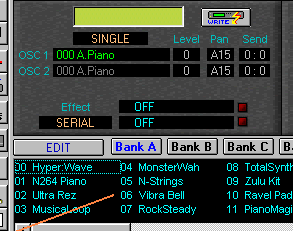
3. Select and click on any program that you want to change/edit.
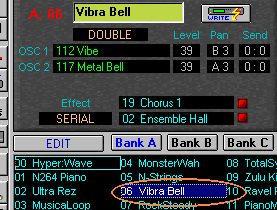
4.
After you click on the selected program, single program data will be requested
from the synth and loaded into the editor. Now you should see basic patch
information displayed on the panel above:
Oscillator
mode, OSC1 and 2 multisounds assigned to this patch, levels, Pan, Send settings
and effect routing.
6. After selecting a
patch for editing click on the "EDIT" button and the "Program
Edit” window will be displayed.

7. From this window you can edit ALL N-264/364 program parameters. Let’s change a few:
Click on Osc1 section 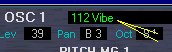 and smaller window
will open with a list of all multisounds available :
and smaller window
will open with a list of all multisounds available :
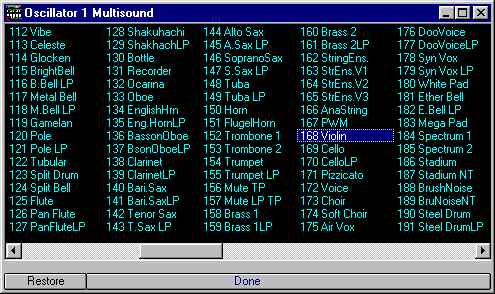
Here
you can assign different multisounds to oscillators by simply clicking on
different multisound names.
Meantime,
you can audit changes without moving away from the computer by pressing the
computer keyboard keys.
Try C
V B N H for example, to hear N-264/364 play modified program. For complete list
of computer keys assignment please check “Playing
Computer Keys”.
8.
After selecting a new multisound, click "Done" or fold down Osc
Multisound window. You do not have to close any editing windows. You can have
them all open to quickly move from adjusting one parameter on the other whenever
your screen size allows.
10. You can also change program parameter values in the "Parameter Group Controls” window.
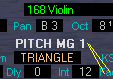
To display them click on the “Group Parameter” labels
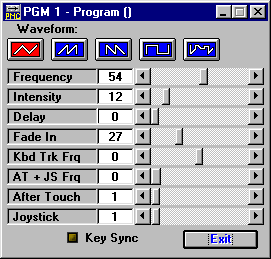
or the “Graphical Envelopes” label:
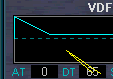
11. Changing VDF, VDA and Pitch EG envelopes can be done either by clicking on labels (Attack Time, Attack Level etc.) and pulling a slider or by dragging envelope points with a mouse.
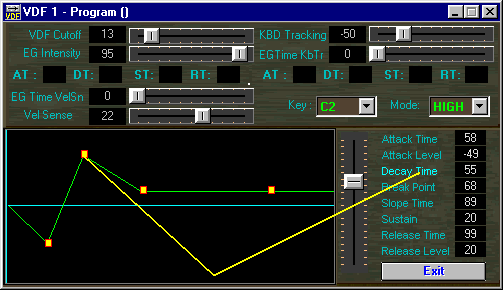
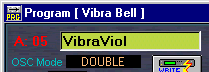
12. You can rename program by typing over the name in a text box:
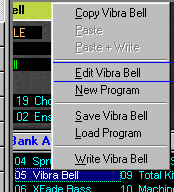
13. If you still need more options, click right button of mouse to display an additional pop-up menu.
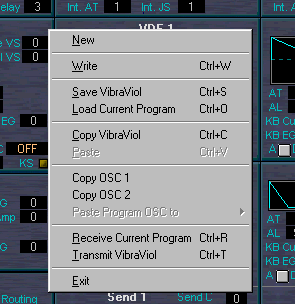
14. You may save or transmit changed program (Transmitting program is not necessary unless you were performing editing OFF-LINE). You can also copy parameters of separate oscillators in order to use their settings in another program. If you paste copied OSC all OSC1 or OSC2 will be transferred except the multisound number.
|
|
Page 4 |