
 .
.
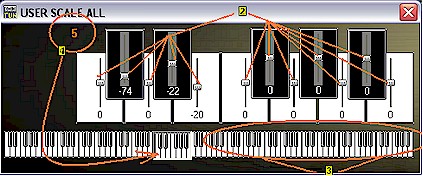
USER SCALE ALL
When in Global Settings window the User Scale All
is accessed through the button
.

Within User Scale All window the individual values
associated with each key within each octave can be adjusted by each slider key  .
The octave to be adjusted is selected by clicking on the keyboard at the bottom
of window
.
The octave to be adjusted is selected by clicking on the keyboard at the bottom
of window  . The octave
that is being adjusted is indicated by the number in the upper left corner; in
this example: Octave 5
. The octave
that is being adjusted is indicated by the number in the upper left corner; in
this example: Octave 5  .
See User Scale Octave tutorial
for more.
.
See User Scale Octave tutorial
for more.
When the window is closed the values are saved to the new Global Settings.