Kurzweil PC3 Sound Editing Software
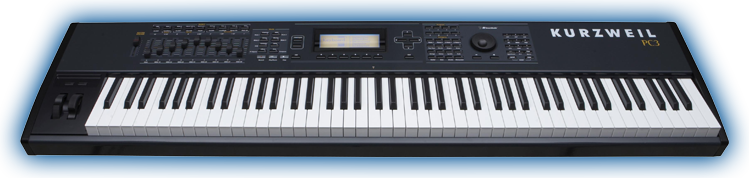

© Young Chang Co., Ltd.
Developed by SOUNDTOWER INC.

Any questions or comments, please e-




Kurzweil PC3 Sound Editing Software Downloads:
Windows PC: XP and newer including Windows 10 32/64 bit
PC3 SoundEditor setup -
Mac OS X : OS X 10.1 and newer including 10.15 Catalina and 11.0 Big Slur
PC3_SoundEditor_v300_64..dmg -
Mac OS X : OS X 10.68 -
PC3 SoundEditor setup -
SOFTWARE MANUAL:
PC3 SoundEditor User Guide English PDF
PC3 SoundEditor User Guide Italian PDF
PC3 SoundEditor User Guide Japanese PDF
PC3LE PROGRAM LIBRARY
To load PCLE Program Library file click on the LIBRARIAN button. In the Library window select "Load Library File" from the Librarian menu or use LOAD button. All programs will be loaded to their their own category slots. You can audition them all by simply selecting them from category lists. You can browse through all programs and they will be loaded to temporary buffers and nothing will be overwritten in your Artis ROM banks.
To write program that you want to use, select a location in Program Banks and click on the Arrow button or use copy/paste functions. You can write program above 192 but then you will be able to access them only with the editor or other MIDI programs like Cubase, Live, Logic Pro but not from your Artis front panel.
Soon we will make all other objects available like songs, patterns and etc. so you are able create and play arps and riffs.
Important note: The editor requires the PC3 OS v2.21 or later.
The latest PC3 OS updates:
http://kurzweil.com/product/pc3x/downloads/