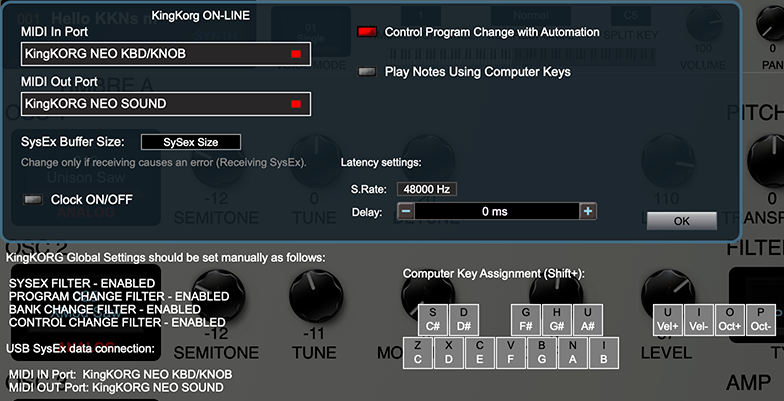
MIDI Setup

Select MIDI iN and MIDI OUT ports that the King Korg is physically connected to.
On Mac:
From the MIDI In Port dropdown, select KingKorg KBD/KNOB.
From the MIDI Out Port dropdown, select KingKorg SOUND.
On Windows PC:
From the MIDI In Port dropdown, select MIDIIN2(KingKorg).
From the MIDI Out Port dropdown, select MIDIOUT2(KingKorg).
The status text should display: KingKorg: ON-
If not connected then manually check GLOBAL settings on the King Korg. For the PlugSE
to communicate with the King Korg, the Global settings should match the parameter
and status shown at the bottom of the MIDI page -
Please note that if you are using a Windows PC many MIDI interfaces including KingKORG
USB MIDI are not multi-
See PlugSE in Ableton Live -
Editing using the King Korg front panel
IMPORTANT: When using the King Korg PlugSE©, if you wish to modify the program using knobs and controls on the panel of the King Korg, you must click the PAGE UP button on the KingKORG panel for those changes to be reflected in
the software.