OB-
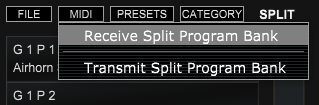
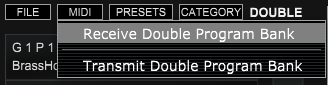
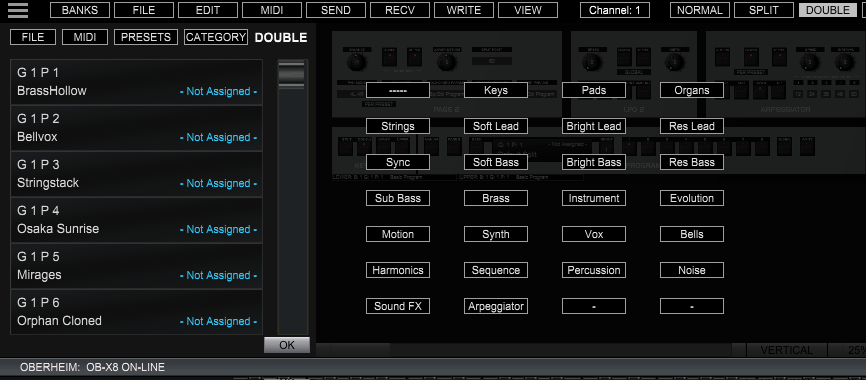
There are two separate Stack banks. One for SPLIT programs and then a separate bank of DOUBLE programs
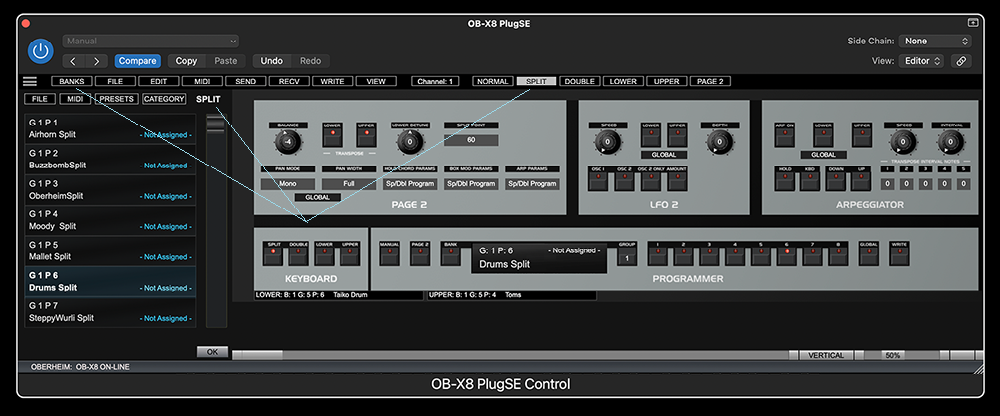
Once the bank panel is displayed you can access and select Stack programs. In order
to import SPLIT or DOUBLE programs the OB-
Please note that receiving or transmitting of Voice programs is not possible when
OB-
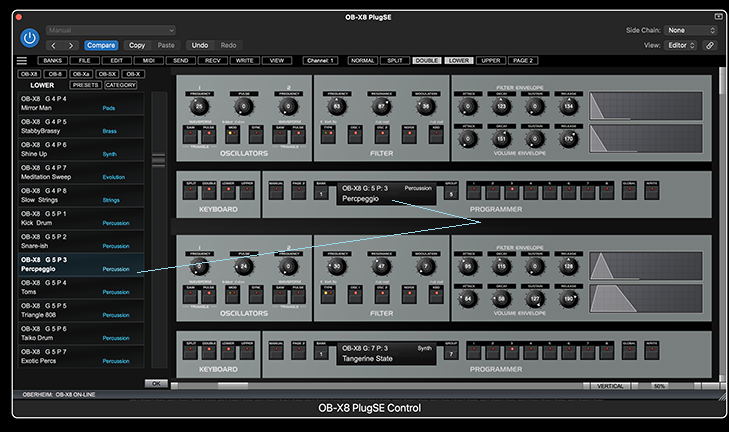
In either LOWER or UPPER mode you can use the bank panel only to select programs for UPPER or LOWER voices.
You can select Stack programs listed from the Group 1 to To Group 16 or you can also select Stack programs according to their category assignment by clicking on the CATEGORY button .
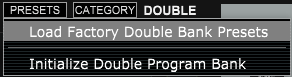
For a convenience, if you like to revert or reload the original factory programs you can use the PRESETS button menu.
When you select a Stack program from the bank then that selected SPLIT or DOUBLE program will be loaded as a current PlugSE patch. The PlugSE patch set this way will also contain both Voice Programs that are assigned to LOWER and UPPER layers.


In order to select a Stack Program for playing you need to switch to either SPLIT
or DOUBLE mode. When the OB-
While the OB-
To select a SPLIT or DOUBLE program from the Stack bank click on the BANKS button:
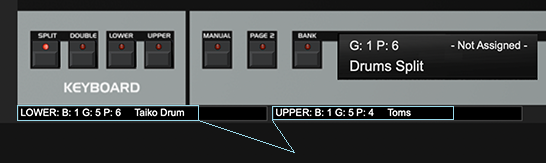
To change the Voice program assignment for a layer you need to set the mode to a
corresponding UPPER or LOWER mode. On the OB-