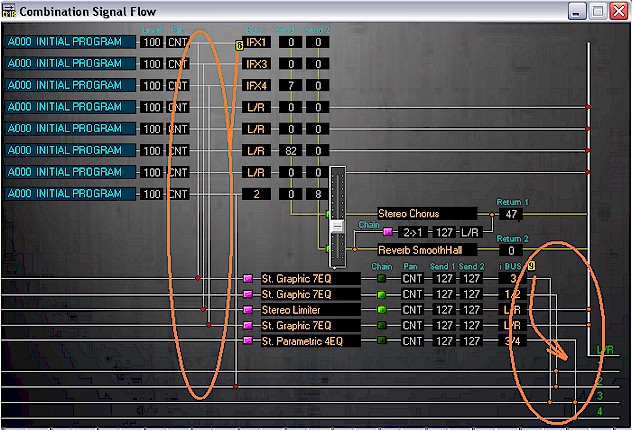
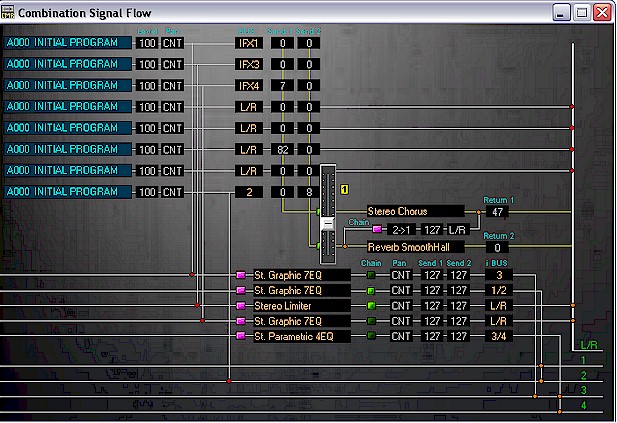
COMBINATION SIGNAL FLOW
The COMBINATION SIGNAL FLOW window displays 8
channel output routing. You can adjust all parameters that are displayed in this
window. To change a certain parameter's value, click on a value label and
use the slider.
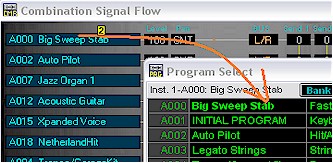
For some of the parameters the corresponding pop-up window will appear as they do directly in Edit Mode window.
For example single click on the selected programs
name in  opens the
Program Select window. You can then change program selected to any other from
any Combi Bank or Category.
opens the
Program Select window. You can then change program selected to any other from
any Combi Bank or Category.
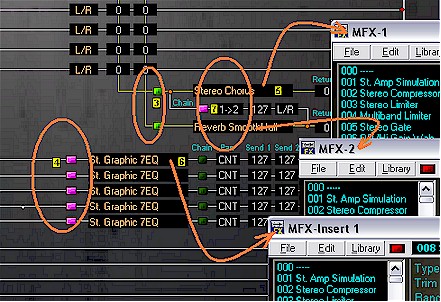
Futher, MFX  and
MFX-Insert
and
MFX-Insert  functions can be turned on or off from here or parameters changed with the
edit windows brought up by a single click (
functions can be turned on or off from here or parameters changed with the
edit windows brought up by a single click ( for MFX and
  for
MFX-Insert.) MFX direction can be changed directly by a single click on chain
for
MFX-Insert.) MFX direction can be changed directly by a single click on chain  .
.
Note: Double clicking on any of the numerical values in the
value boxes
allows the user to enter an exact value for the parameter from the keyboard. As
well changes to the values of parameters, BUS  and i-BUS
  , are
directly mirrored with graphical changes to signal flow in the window.
, are
directly mirrored with graphical changes to signal flow in the window.