KingKORG Banks

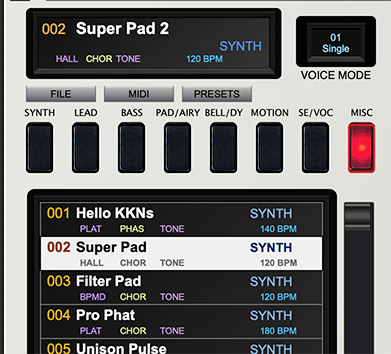
The FILE, MIDI and PRESET menus function as follows:
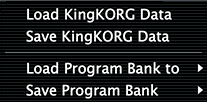
FILE
Save and Load KingKORG data allows you to save or load the entire data set of the current status of the KingKorg to or from a hard drive.
Save or Load Program Bank allows you to save or recall programs in banks of 100. While programs 001 to 200 are considered Factory banks, those slots can be overwritten as desired. There is an easy way to restore the KingKorg right back to Factory programs. That will be shown in a later section.
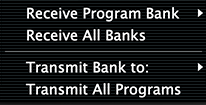
MIDI
The MIDI button shows options to Receive or Transmit individual banks or all banks from and to the KingKorg.
IMPORTANT!!
If you have created or edited programs using the front panel of the synth and saved them to the internal memory,
it’s a good idea to Receive All Banks to synchronize the KingKorg with the PlugSE software.
PRESETS
The Preset button will allow you to restore factory programs back to the KingKorg by bank.
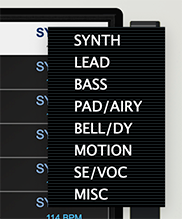
If you right click on the right side of the program row, you can select a category that suits your needs.
The next time you select one of the master Category buttons, the program will appear in it’s new category group.
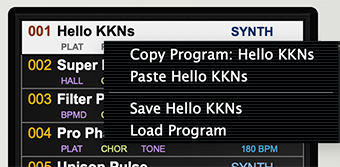
Copy and Pasting Individual Programs, Saving and Loading individual programs and Changing Categories
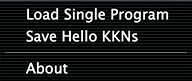
You can Right Click on the left hand side of an individual program slot and you will see this dropdown:
From here you can copy the highlighted program to the clipboard, then select another program location and right click again to paste the copied program to a new location. You can also save or load an individual program to or from your computer’s drive. A great way to share programs with other KingKorg users.
Upper Menus
BANKS
Shows Program list.
FILE
Under the file menu, you can…
Load a single program from disk.
Save a single program to disk.
View the KingKorg PlugSE© version number using the About button.
EDIT
Under the Edit menu you can…
Copy and Paste individual program to different program slots. This function in the same manner as write clicking on
a program name to select Copy and Paste as described above.
MIDI
Shows MIDI Setup.
SEND
The SEND menu allows you to end the current Preset or FX Bank Preset to the KingKorg’s Edit Buffer.
RECEIVE
The RECEIVE menu requests the current program from the King Korg.
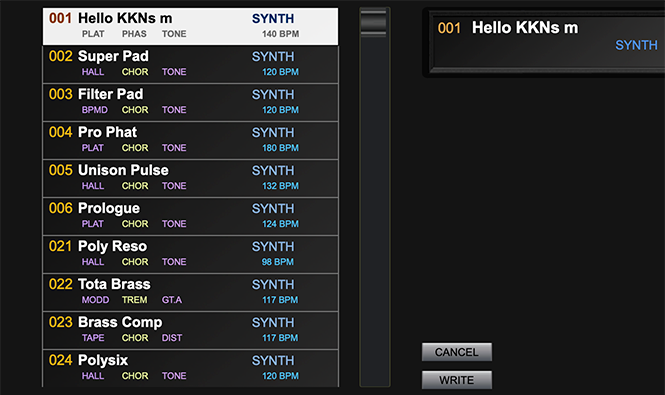
WRITE
The WRITE menu brings up the Write Dialog that saves the edited program to a new location. Additionally you can change the name and category if desired.
Click SAVE to confirm or Cancel to exit.
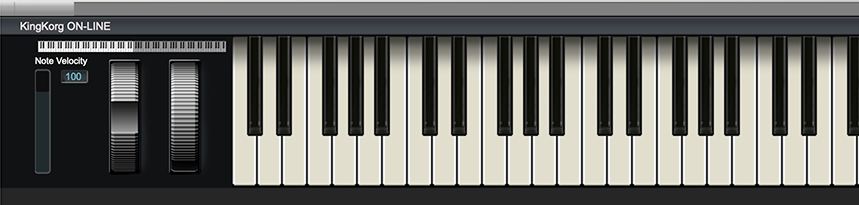
KEYS
Clicking KEYS displays a playable keyboard.
MODEL
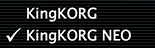
Clicking the MODEL menu allows you to choose between KingKorg or KingKorg NEO models. You will need to restart the plugin if you change models.
VIEW
Change the scale of the PlugSE© editing panel.
Navigation Menu
The navigation menus allow you to bring specific controls into view.
“HAMBURGER” MENU
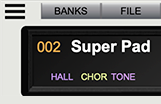
The “HAMBURGER” MENU (3 bars) is found at the top left hand corner of the editor. When clicked it shows the Preset Manager.
Using the bank panel you can access and select from all programs in the King Korg USER and FACTORY banks. In order to import all programs to the PlugSE use MIDI RECEIVE functions.
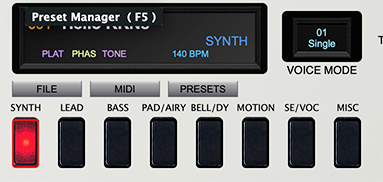
In this view, there are three buttons below the Program Name window. FILE, MIDI, and PRESETS. We’ll review these in a moment .
Below that are Category buttons -
The list below will call up the programs that share the category selected. A scroll bar is provided on the right to allow viewing of all programs in the list.
Selecting any one of these names will select the program on the KingKorg.